1
Name sessions when signed in
Use an account to add task names and keep finished focus sessions.
NAME THIS SESSIONSign in to add task namesSigned in only
Choose a focus or break timer, set your own durations, and optionally keep a session log across your devices.
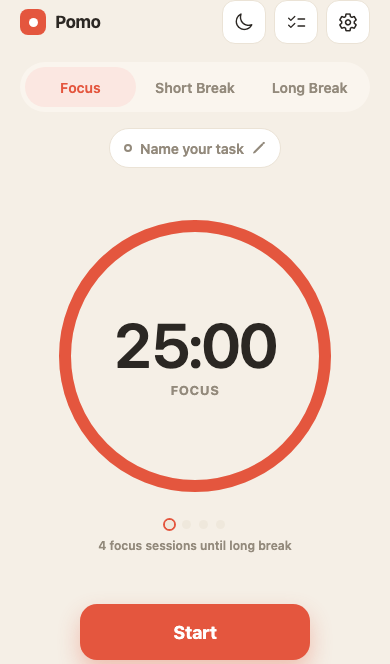
Set a focused work interval
Take short and long breaks
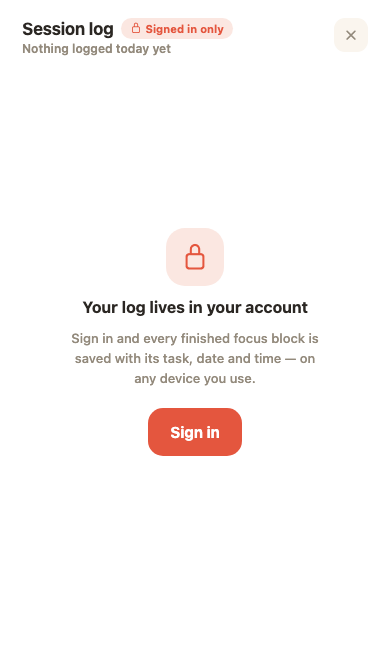
Keep a session log when signed in
Use Focus and Break timers at your own pace. Sign in when you want to name sessions and keep a log.
Use an account to add task names and keep finished focus sessions.
Choose Focus, then start the duration that works for you.
Switch to Short Break for a timed pause between sessions.
All timer durations can be adjusted in Settings.
Signing in is optional. With an account, Pomo saves finished focus sessions and makes your session log available across your devices.
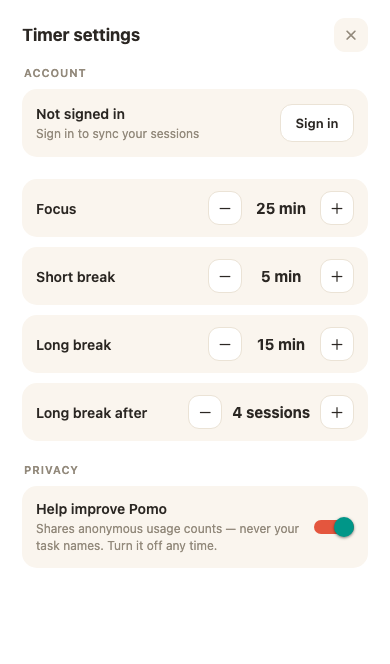
Start with a timer, then make the rhythm your own.